Admin Tool
Before this, only engineers could manage which customers had access to which AI features, usually by hand, in code. We built an admin UI so anyone on the team could manage customers, feature access, and the API connections tying it all together.
Customers
Managing which customers had access to which AI features meant engineers making the change directly in code. Slow, and it didn't scale as the customer base grew.
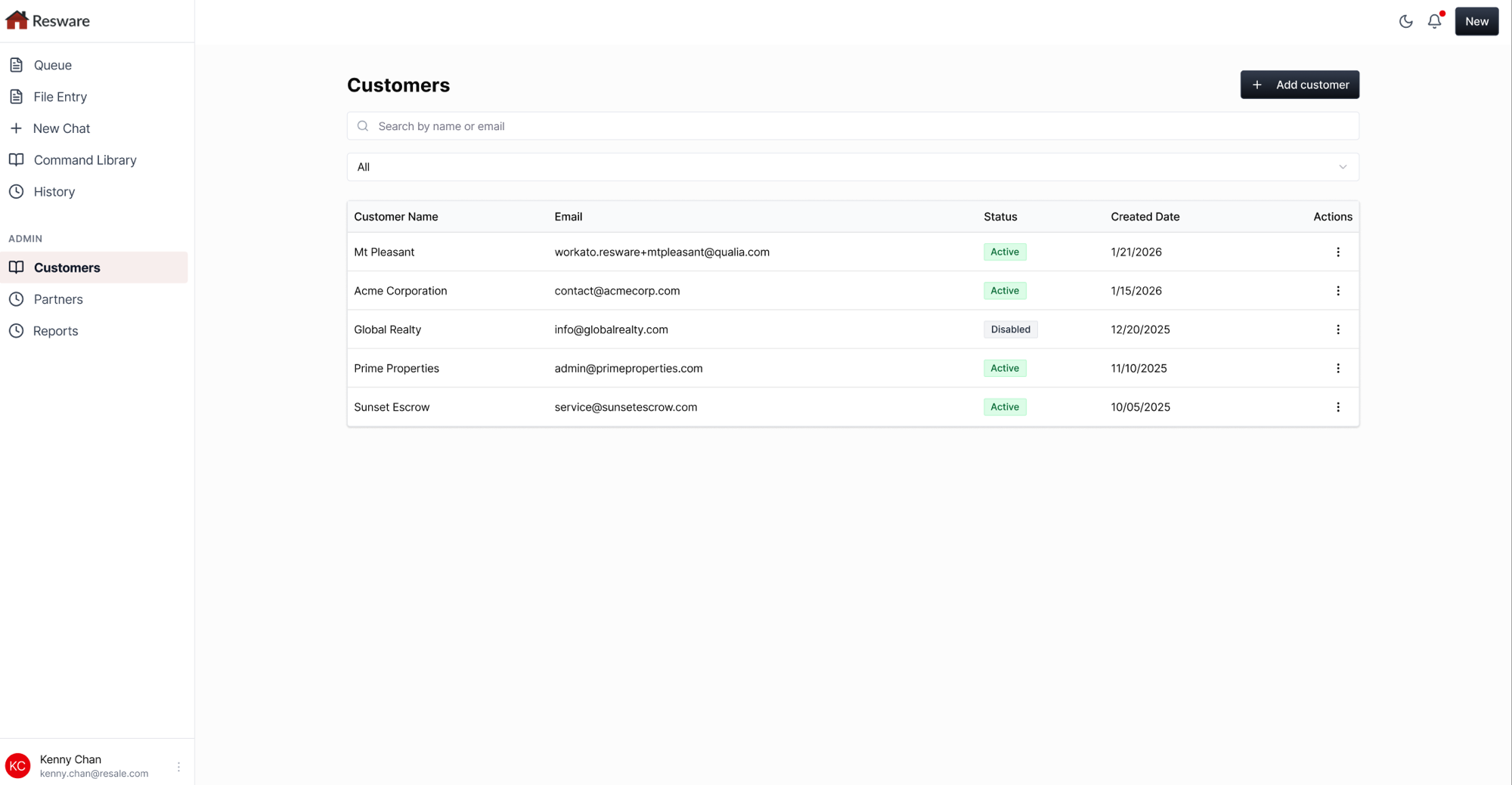
Built an admin UI for managing customers, toggling AI feature access per environment, and testing the API connections between each customer's AI Assistant and the legacy platform.
Support tickets dropped 70%, since role-based permissions let customers safely self-serve their own settings instead of filing a ticket.
Problem
Admin Tool didn't start as its own idea. It came out of watching AI Assistant mature: as more customers came on board and depended on it daily, both our internal team and the customers themselves needed a real place to manage AI features and the connections tying it all together, instead of that living nowhere. Before this, creating a new customer account or changing anything on an existing one (turning on a feature, adjusting access) meant the customer filing a support ticket and waiting on an engineer to make the change by hand. As the number of customers connected to the AI Assistant grew, that pattern grew right along with it. That someone was always an engineer.
Feature access required engineering: turning an AI feature on or off for a customer meant changing it directly in code.
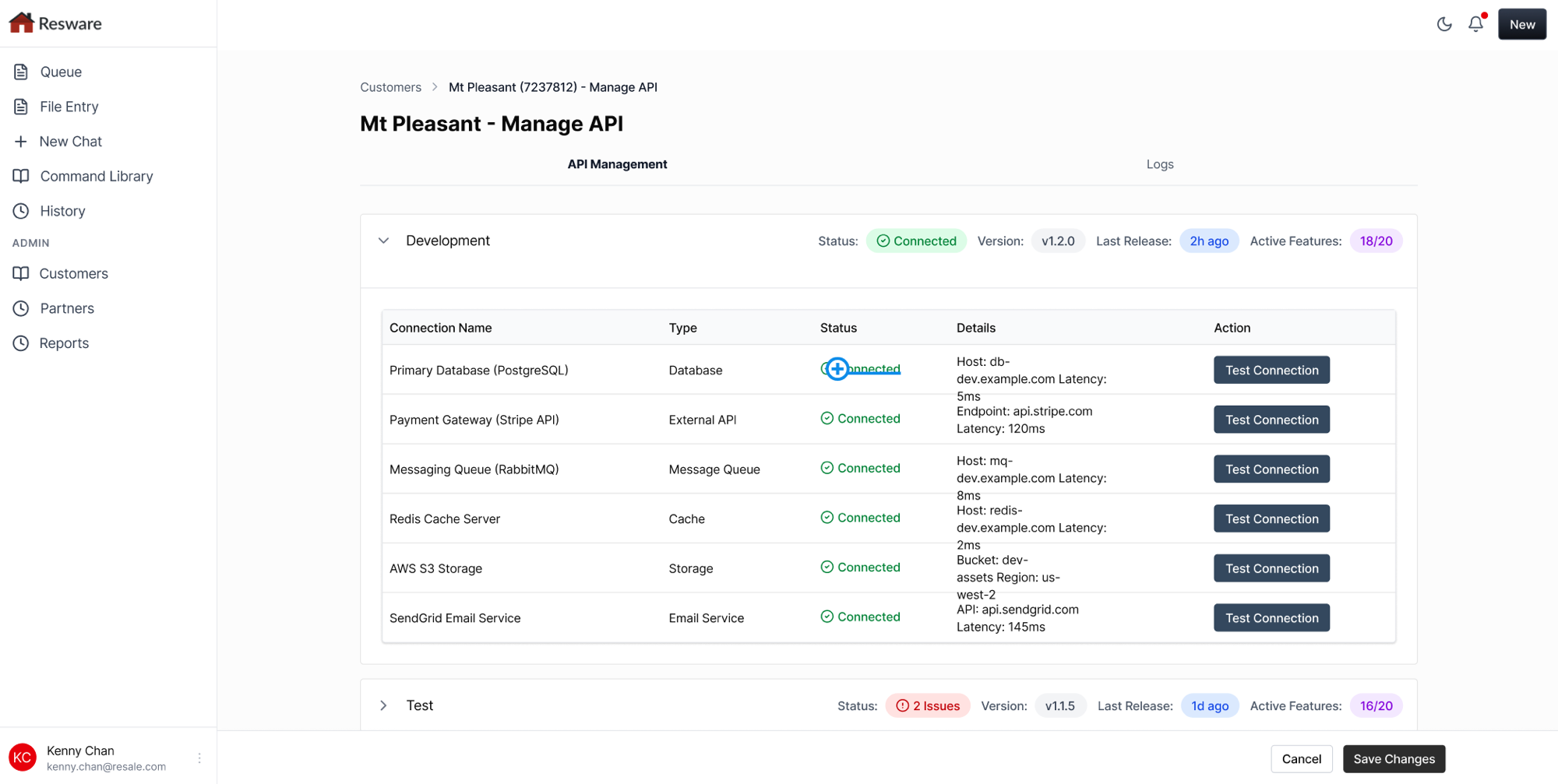
No visibility into connection health: nothing showed whether a customer's AI Assistant and the legacy platform were actually talking to each other.
Didn't scale: as the customer list grew, routine account changes turned into a steady stream of engineering requests.
Research
We aligned with our PM early on the business case (fewer support tickets, faster onboarding) and with engineers on what could safely be exposed to customers without a security risk. Self-serve account management is standard across SaaS: customers manage their own users and settings without ever picking up the phone. There was no real reason feature access here had to work any differently.
Early in research, we worked to identify who the actual audiences would be and what each one expected to see and do. That's how we landed on three different groups: our system admins who manage every customer, engineers who think in terms of environments and API connections, and customers themselves, who just want to manage their own company. Once we understood what each group actually expected, the design had to work for all three without feeling like three tools stitched together.
Role-based permissions, not one-size-fits-all
What each audience expected to see and do made it clear one-size-fits-all access wouldn't work. Our system admin sees every company, while each company's own admin only sees their own users and controls: enough access to self-serve, not enough to reach into someone else's account.
Environment-aware, not just customer-aware
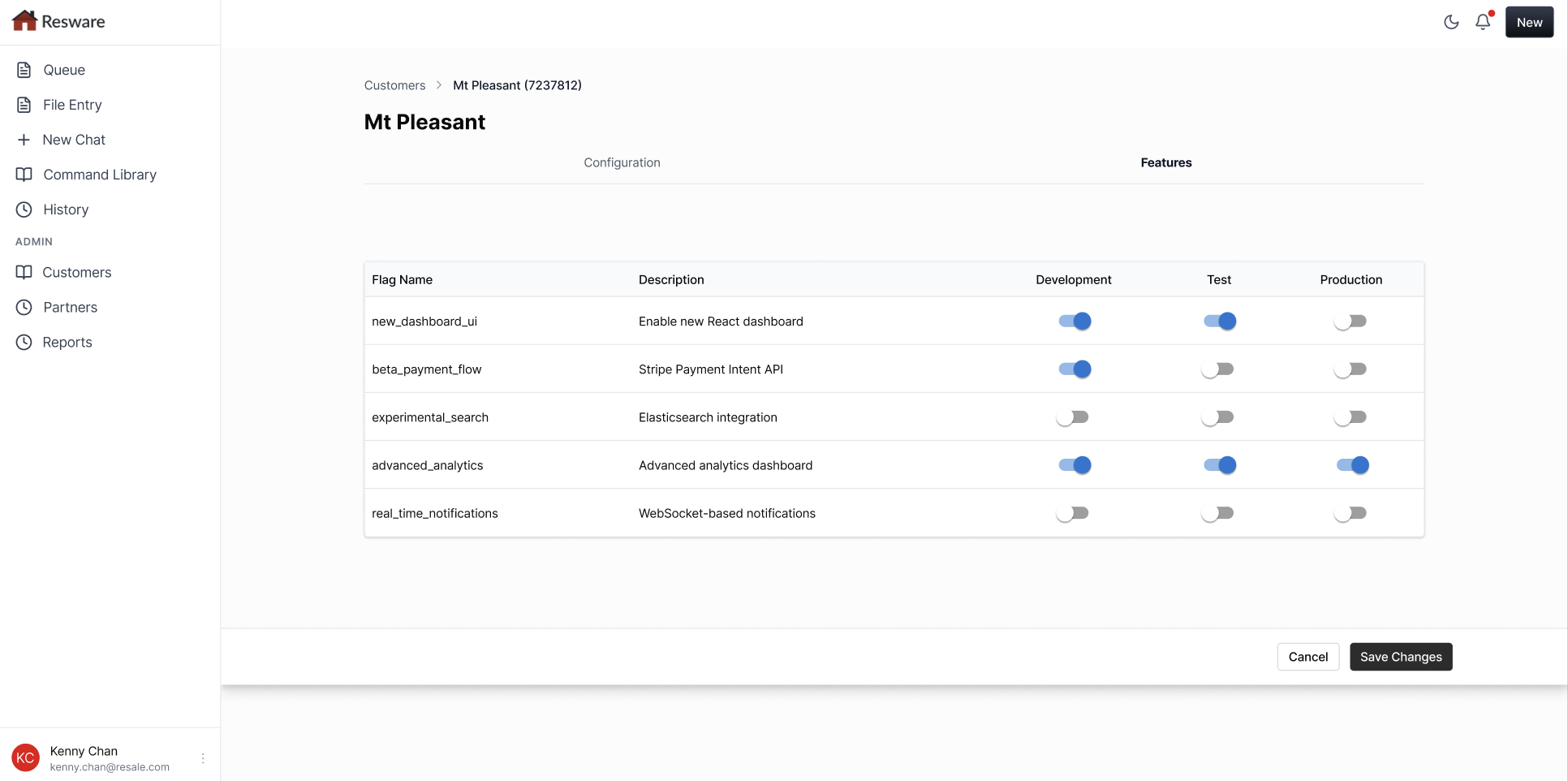
Feature flags and API status are shown per environment (Development, Test, Production), since rollouts happen gradually, not all at once.
Make connection health visible and testable
A one-click test for every integration, so a broken connection shows up before it becomes a support ticket.
Design
Features · Mt Pleasant
We scoped this in two passes. Customer and user management came first: the foundational piece of knowing who exists and what they're allowed to do, before anything built on top of it would make sense. API and feature-flag management followed once that was solid, layered in per company so customers could manage their own AI features and connections directly. Building on the Design System already established for Resware meant every one of these screens could reuse existing components instead of starting from scratch, which is part of why this shipped in two weeks.
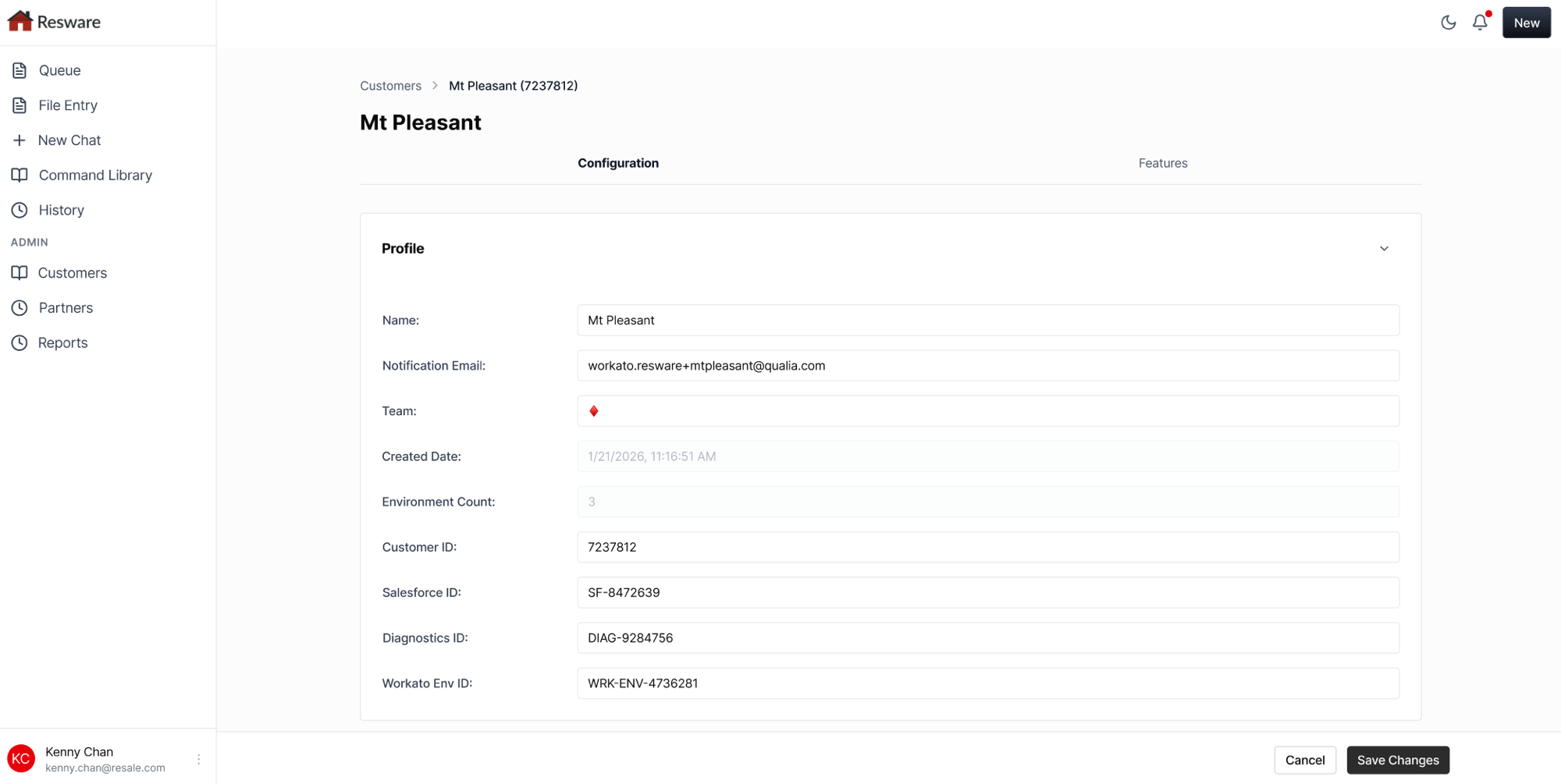
The tool covers three things. A searchable list of every customer company, with status and quick actions. A per-customer configuration and features view, where flipping a toggle turns an AI feature on or off for that company, in a specific environment. And a live API management view, showing every connection (database, payment gateway, messaging queue, cache, storage, email) with its status, latency, and a one-click test, per environment. Every screen here is built from the same shared Design System components as Resware's other products, so it looks and behaves consistently rather than like a bolted-on internal tool.
Underneath all of it is role-based permission control. Our system admin (our own internal team) has full oversight across every company. Each company's own admin only sees their own users and controls: enough access to self-serve, not enough to reach into someone else's account. That's what let a broken connection between a customer's AI Assistant and the legacy platform become something anyone could spot and test, not just an engineer with database access.
Outcome
Support tickets related to account and feature-access changes dropped by 70%, once customers could make those changes themselves instead of filing a request. Role-based permissions were what made that safe: customers could self-serve within their own company without ever seeing or touching anyone else's.
What we learned
The real win here wasn't just moving work off engineers' plates. It was giving customers enough visibility and control to solve their own problems, without giving them access to anything that wasn't theirs. Getting that permission boundary right mattered more to the outcome than any single screen in the tool.
The same role-based foundation also opens the door to analytics down the road (usage and adoption per customer, and in aggregate across the whole platform) without having to rethink who's allowed to see what.
Stepping back, Admin Tool turned into more than an internal fix. The same permission model and the same screens serve our own team managing the whole platform and a customer managing just their own company, which makes it the connective layer between the user-facing product and the back office, not a tool bolted on behind it.