Smart Tagging
An existing Word add-in for tagging data in documents was bare-bones and entirely manual. We rebuilt it around AI (the same engine works in our core SaaS application and inside the Word add-in), detecting data points in one touch and converting them into smart tags, without asking people to trust a black box.
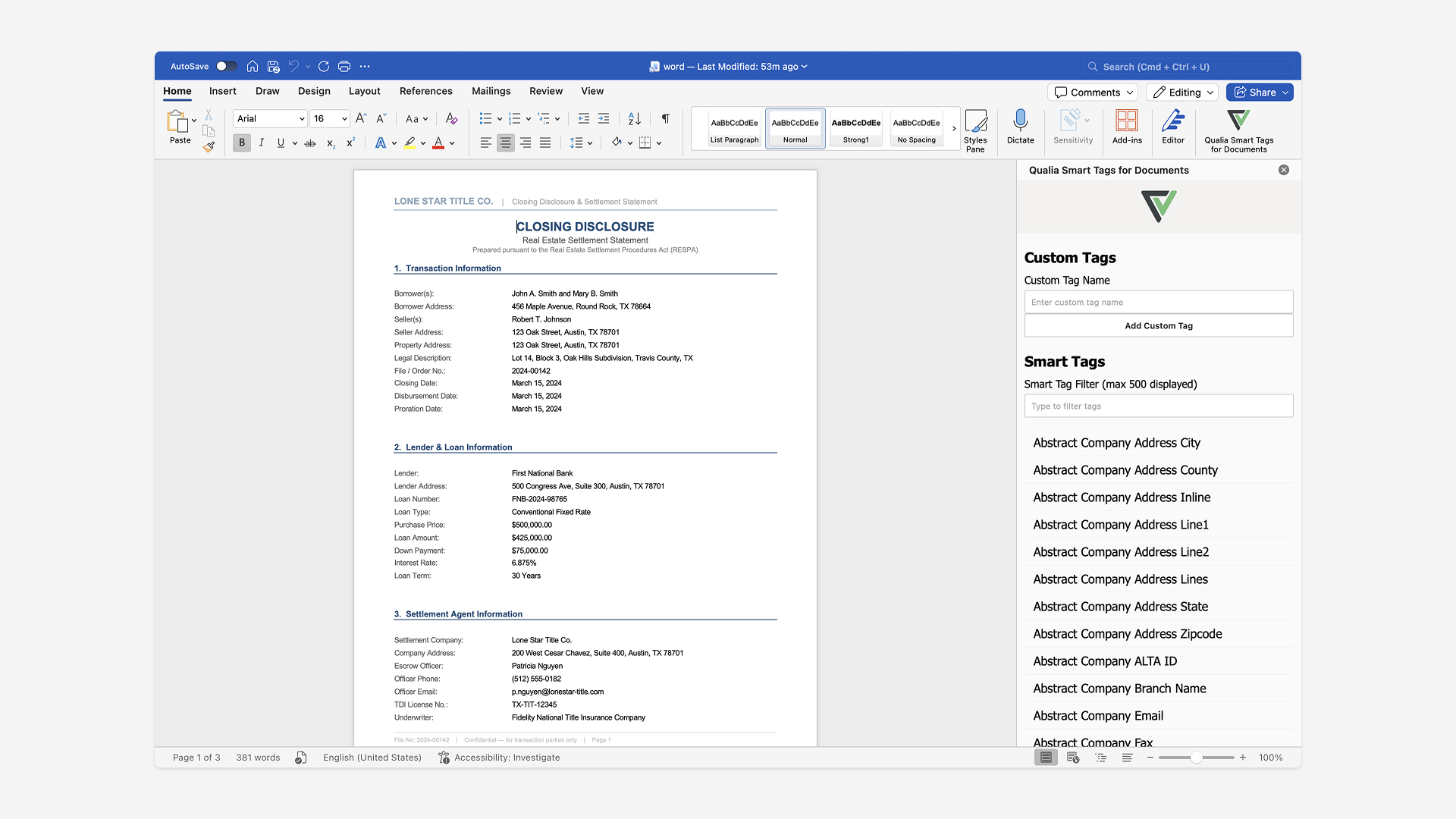
Insert field
Tagging data in a Word document meant highlighting and applying tags by hand, one at a time: slow, error-prone, and stuck in a bare-bones, off-brand interface.
Used AI to detect data points in one touch and convert them into smart tags, while keeping people in control of what actually gets applied.
Tagging a document is 7x faster than the manual process, with 97% accuracy, and shipped in three weeks.
Problem
The Word add-in wasn't new, it just hadn't grown up. The existing version was bare-bones, off-brand, entirely manual, and locked to Microsoft Word: it didn't exist anywhere else. To tag a data point in a document, someone had to highlight it and apply a tag by hand, one at a time. I suggested we take the opportunity to rewrite it: we were already incorporating AI into the process, so it was the right moment to also bring it on-brand and onto our design tokens.
Fully manual: highlight and apply each tag by hand, one at a time.
Error-prone: easy to miss a data point, or tag it wrong, under manual review.
Off-brand and bare-bones: the add-in hadn't kept pace with the rest of the product.
Research
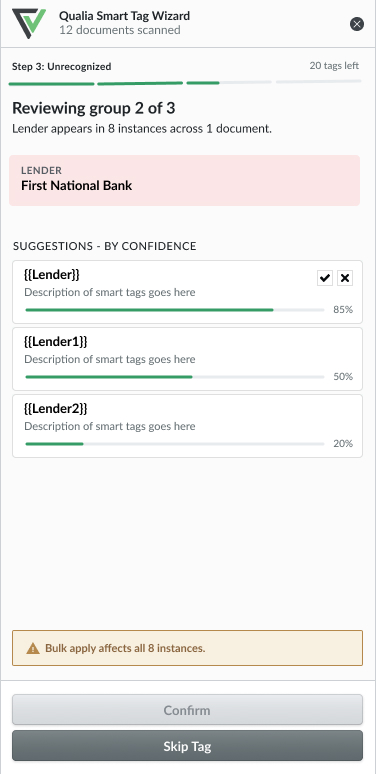
Sitting down with our PM and engineers, we aligned on why this mattered to the business (faster, more reliable tagging across two surfaces) and on the technical ceiling for detection accuracy. Like most AI features, the real question wasn't whether we could detect data points automatically. We could. It was accuracy, and getting people to actually trust it. We knew going in that the AI wouldn't catch every data point perfectly, so the design had to plan for that uncertainty from the start, not patch it in later.
One-touch analysis, without losing manual control
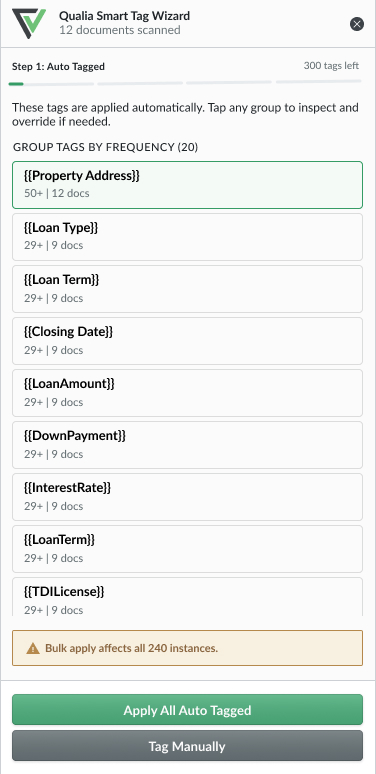
People could still manually tag a data point or add a new tag themselves: the one-click AI analysis was an addition, not a replacement.
Show confidence, not just results
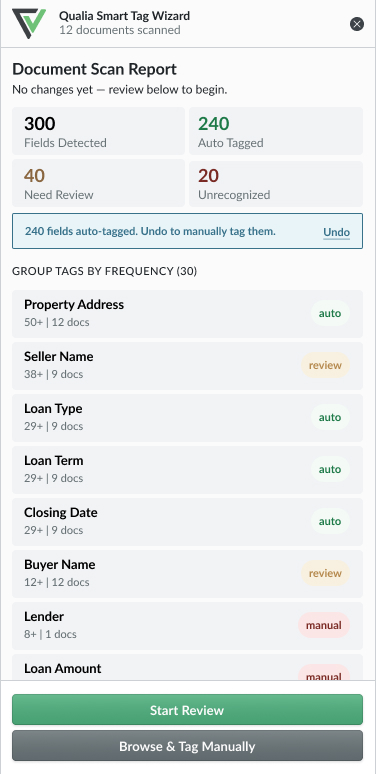
After analysis, the add-in reports exactly what it found: how many data points, how many applied confidently, how many were uncertain, how many were new patterns.
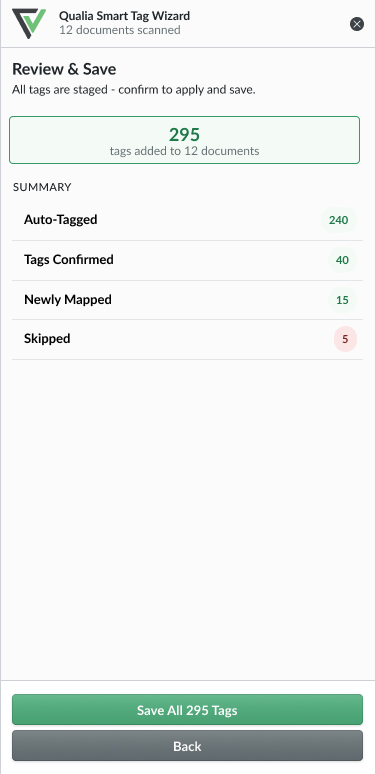
Nothing applies until the user says so
Every smart tag sits in review until the final confirmation step: the AI never commits a tag to the document on its own.
Design
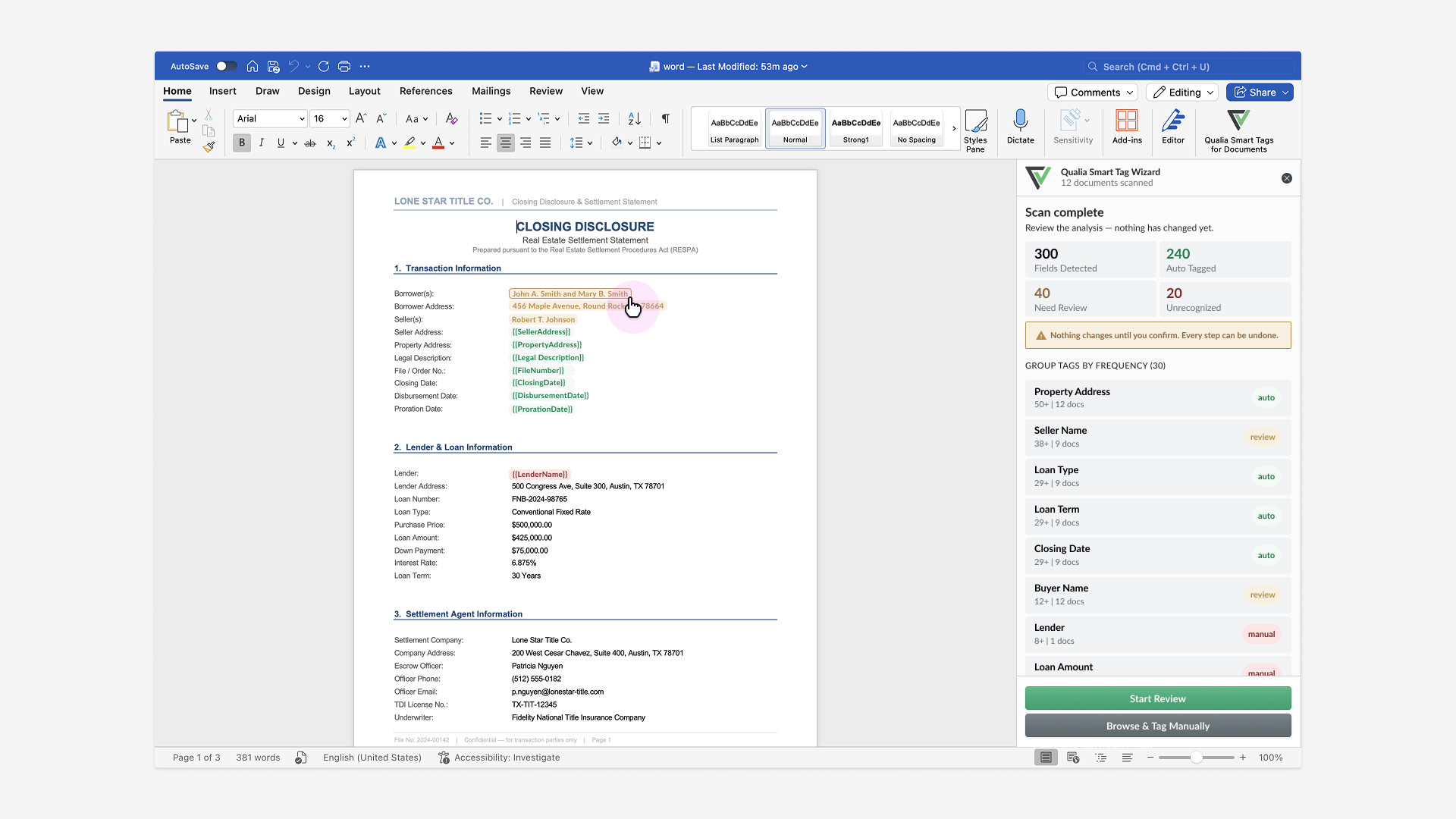
The analysis report became the centerpiece. Run it once, and it comes back with a full breakdown: 300 fields detected, 240 applied automatically as smart tags, 40 flagged for review at lower confidence, and 20 unrecognized patterns the system hadn't tagged before. Smart tags themselves work like dynamic fields, wired directly to the platform's data instead of sitting as static text.
Rewriting this also meant deciding how far to take it. The old add-in only ever worked inside Word, but since we were already rebuilding the whole thing, building it once to work anywhere made more sense than maintaining two separate systems that would only grow more inconsistent over time. So the same detection engine works the same way in both places (the core SaaS application and the Word add-in): the AI tags data points identically no matter where someone's working, instead of behaving like two different features that happen to share a name. That same engine is what makes this scalable by design: any future surface can plug into it without starting the detection logic over from scratch.
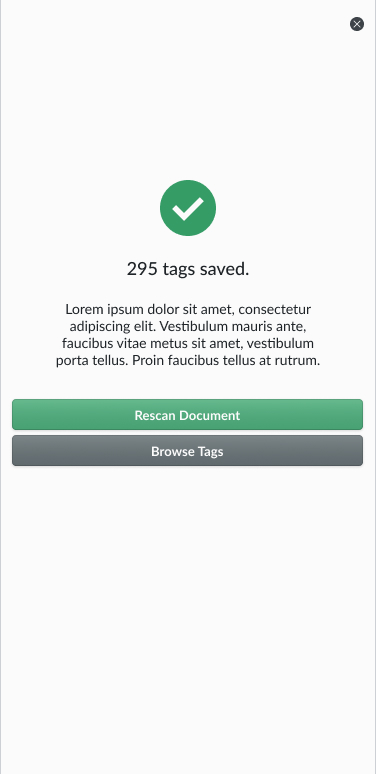
And critically, no tag is actually applied until the confirmation step. Reviewing the report never feels like undoing a decision that's already been made, since nothing's been decided yet.
Outcome
Tagging a document is now 7x faster than the fully manual process, with 97% accuracy detecting and applying data points. And the model keeps learning from every analysis: the more documents it sees, the better it gets at recognizing patterns, so that accuracy keeps climbing without anyone retraining it by hand.
What we learned
The lesson here wasn't really about how accurate the AI was. It was about giving people visibility into that accuracy. A report that says "240 auto-tagged, 40 need review, 20 unrecognized" does more for trust than a black box that's just usually right. Once people could see exactly what the AI was sure about and what it wasn't, handing over the manual, one-at-a-time process stopped feeling like a risk.